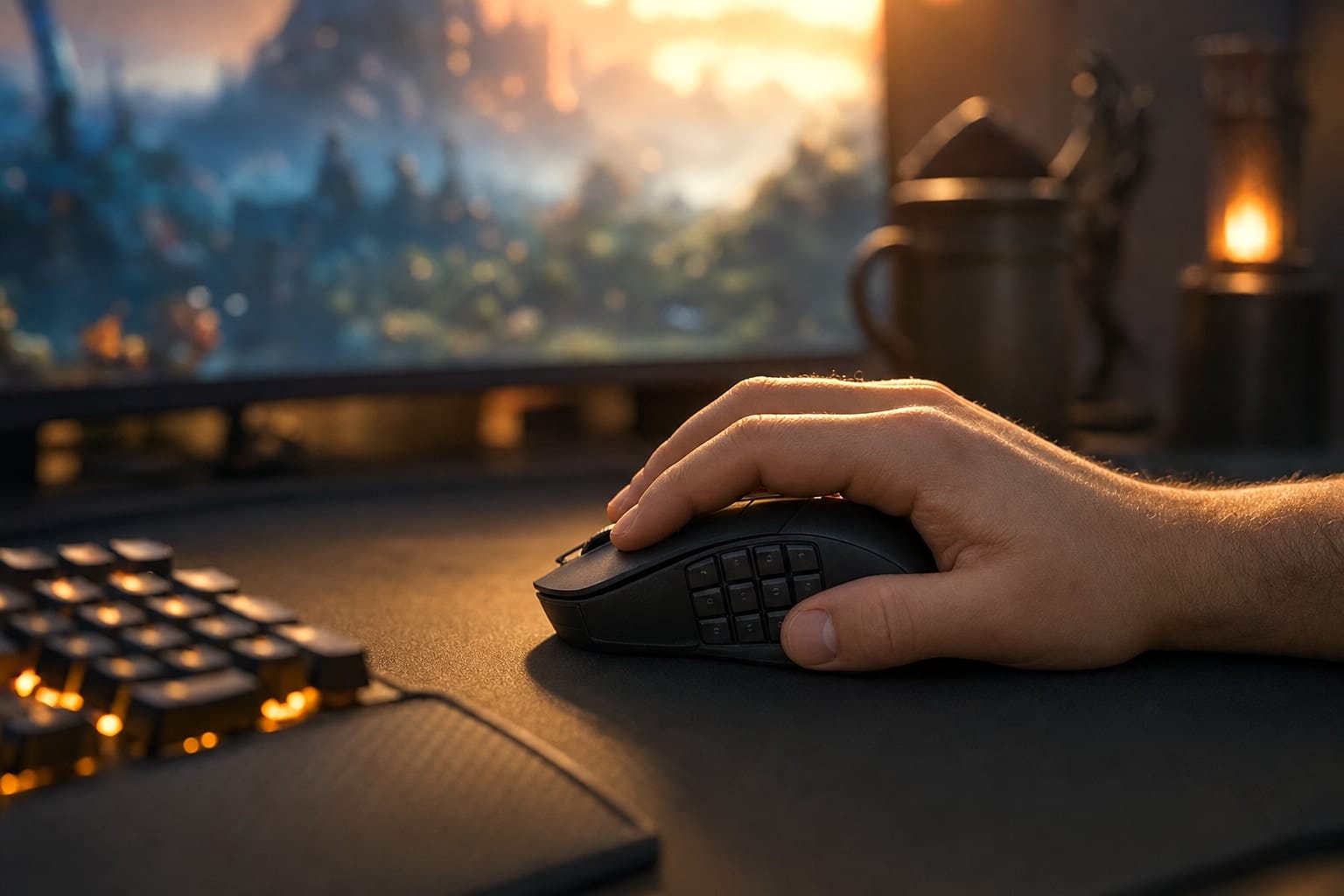

If you are a PC gamer who prefers a comfortable mouse with extra buttons, the new Razer Naga V3 Pro might be the best upgrade for your setup. While the gaming world has shifted toward ultra-lightweight mice for fast-paced shooters, the Naga line remains a reliable staple for people who value consistent ergonomics and complex macro capabilities.
Verdict: A comfortable control center for MMO and productivity power users
The Razer Naga V3 Pro balances a familiar ergonomic shape with advanced internal hardware and interchangeable side panels. If you need a comfortable, multi-button mouse for MMOs, creative software, or daily productivity, it offers a versatile way to reduce repetitive hand movements and keep complex commands close at hand.
1. The familiar shape makes long sessions easier
The shell of the Naga V3 Pro remains nearly identical to the models released since 2015. That consistency is useful because the large, wide design already works well for a palm grip while remaining usable with a claw grip.
I found the shape comfortable during long raid nights in Destiny 2 and during more relaxed sessions where consistency mattered more than fast, precise movement. The mouse weighs 4.1 oz with the heaviest twelve-button side panel. The six-button panel weighs 115 grams, and the two-button panel weighs 113 grams. The weight feels well distributed rather than top-heavy.
You will notice the extra heft if you are switching from a 60-gram competitive mouse. Otherwise, the balanced shape makes the Naga V3 Pro feel more manageable than its specifications suggest.
2. Three side panels let you match the mouse to the task
The standout feature is the interchangeable side-panel system. The panels attach magnetically through a grid of pogo pins, so changing layouts takes only a few seconds. Razer Synapse detects the installed panel and applies its saved keymap.
- Two-button panel: This creates a more familiar gaming layout with larger buttons. It is the best fit for first-person shooters and other games where agility matters more than a large number of shortcuts.
- Six-button panel: This is a useful middle ground for occasional macros and movement-focused games where you want to keep your fingers on the keyboard.
- Twelve-button panel: The numpad-like layout is designed for ability-heavy games such as MMOs and MOBAs. It offers the most control, but it also takes the longest to learn.
The twelve-button panel has no homing bar on its second row, unlike a traditional number pad. Its sculpted layout still helps with orientation, but you should expect a learning period before every button feels familiar.
3. Extra controls are useful beyond gaming
The mouse wheel supports smooth or ratcheting scrolling, plus a precision tactile mode that reduces the space between scrolling steps. It also tilts from side to side. That makes it useful for spreadsheets and other work that requires horizontal and vertical navigation.
You can also remap the wheel and side buttons for software-specific commands. I found this especially helpful for repetitive tasks in photo and video editing software. The buttons remain out of the way during ordinary left and right clicks, although the third mouse button can be pressed accidentally. A switch on the underside lets you lock that button when needed.
This flexibility is the mouse's clearest productivity benefit. Instead of reaching for keyboard shortcuts repeatedly, you can place frequently used commands under your thumb. That can make long editing or office sessions feel more efficient and less repetitive.
4. The hardware feels substantial, but complexity has a cost
Inside, the Naga V3 Pro uses sturdy plastic braces and supports for its circuit boards. It also has six separate circuit boards connected by ribbon cables, along with a battery that uses a standardized connector. The design is more complicated than that of a lightweight gaming mouse, but the direct connection between switches and buttons contributes to a solid, connected feel.
The scroll wheel uses a proprietary magnetic mechanism with separate switches for scrolling, tilt, and the wheel click. The design is interesting, but the available information does not establish a practical independent-replacement procedure for those switches. Treat the scroll-wheel assembly as a potential long-term service concern rather than assuming that individual repairs will be simple.
The construction feels robust, but more components also mean more potential points of failure. That is a reasonable tradeoff if comfort and extensive controls matter more to you than the lowest possible weight and simplest internal design.
5. Synapse makes the features useful, and creates a dependency
With this many buttons, Razer Synapse is essential rather than optional. It handles button remapping and complex macros clearly, and it recognizes the installed side panel without requiring a restart or manual layout change.
The tradeoff is long-term software dependence. My older Naga Epic remains physically functional after 14 years, but its discontinued Synapse V2 software is difficult to use. Settings do not always stick, assigned macros can disappear, and lag can interfere with the experience. That history does not prove the Naga V3 Pro will have the same problem, but it is a useful reminder that software support can outlast or outlive a mouse in unpredictable ways.
RGB lighting is available through Razer's Chroma system on the rear logo and scroll wheel. The twelve-button panel has RGB backlighting, while the six-button panel does not. Black is the only color option described in the available product information.
Final recommendation: Buy it when the controls will replace real work
The Razer Naga V3 Pro costs $179, so it is not a sensible upgrade for everyone. Its value comes from combining a comfortable shape with three physical control layouts, not from being especially light or minimal.
Who it is for: MMO players, MOBA players, and creative professionals such as photo or video editors who will use the extra controls every day. For these users, the mouse can streamline complex workflows and make long sessions more comfortable.
Who should skip it: Competitive FPS players who prioritize ultra-lightweight designs and minimal buttons. If you need no more than two side buttons, the extra weight, complexity, and software dependence are unlikely to justify the price.
For US buyers, distributor listings show the Naga V3 Pro in retail channels. As of August 12, 2026, a clearly published US Razer product page or newsroom announcement for the model was not found, so check the seller's stock, warranty terms, and return policy before buying.
If you will use the extra buttons often enough to replace repeated keyboard commands, the Naga V3 Pro is worth considering. If not, a lighter, simpler mouse will give you better value.